

Awareness Education
Cybersecurity Awareness Month
The month of October is dedicated to cybersecurity awareness. Learning how your actions impact the security of your personal data as well as the university's is the first step in understanding the critical role you play in cybersecurity.
To support the mission of Cybersecurity Awareness Month, Information Technology staff will host a series of educational events throughout the month. The schedule is in the process of being created now. Check back closer to the October to find out what is in store!
Cybersecurity Events All Month Long
Join us throughout October for free swag and quick IT tips at the Frank Parker Plaza and the LSC 2nd Floor Info Desk.
📅 Event Schedule:
- Oct 2, 9 a.m. - 11 a.m. Parker Plaza
- Oct 7, 11 a.m. - 1 p.m. LSC 2nd Info Desk
- Oct 15, 9 a.m. - 11 a.m. Parker Plaza
- Oct 23, 11 a.m. - 1 p.m. LSC 2nd Info Desk
- Oct 28, 9 a.m. - 11 a.m. Parker Plaza
🔒 Why Multi-Factor Authentication (MFA) Matters
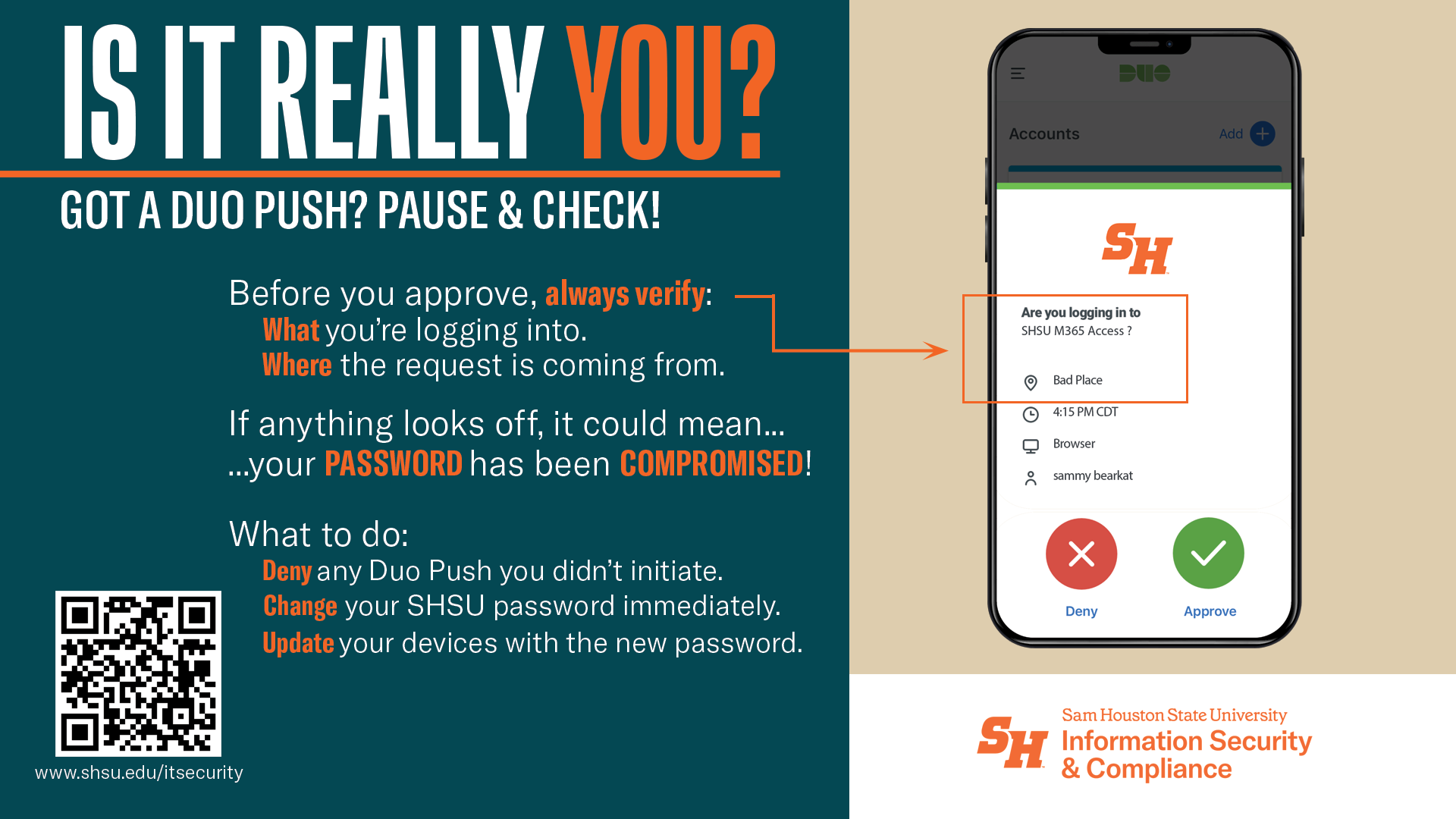
Passwords alone aren’t enough to keep your accounts safe. That’s why SHSU uses Duo MFA—it adds a second layer of protection:
- Something you know: your password
- Something you have: your smartphone or security key
Even if someone steals your password, MFA makes it much harder for them to get in—like locking your door and setting an alarm.
- Tap Deny and report it using the Fraud button
- Immediately change your password
Pro tip: Enable MFA on your personal accounts (email, banking, social media). It’s one of the easiest ways to protect your identity, data, and money.
Phishing

Common Phishing Scams
- A scammer, posing as a known person, requests assistance in a task such as purchasing gift cards.
- Account Verification scams.
Watch for:
- A sense of urgency.
- An offer that is too good to be true.
Tips to Prevent Phishing:
- Do not follow links, go directly to the company website on your own to log in.
- Don't provide personal details in response to an unsolicited request.
- Check email addresses. Does the email address match the person that is sending the message?
Smishing

Common Smishing Scams:
- Account Verification
- Shipping Delays
- Service Cancellation
- Bank Fraud
In each of these cases the urgency of the message entices the recipient to click on included links that will take them to fraudulent websites or download malware to their device.
Watch for:
- Threats of prosecution.
- Promises of something too good to be true.
- Odd grammar and word usage.
- Banks or creditors that request account numbers.
Tips to Prevent Smishing
- Never click on a link.
- Never share personal information.
- Activate multi-factor authentication (MFA) on all accounts with your creditors, banks, and social media.
- Contact the company or bank directly if you are unsure of the message authenticity.
Quishing

Common Quishing Scams
- Scam to access an encrypted voice message.
- Change to win scams.
Watch for:
- Incorrect URLs.
- Odd placement of the QR Code.
- QR Codes not placed in official places for the represented company.
Tips to Prevent Quishing:
- Verify the URL after scanning a QR code.
- Exercise caution when entering personal or financial details after scanning a QR code.
Vishing

Common Vishing Scams
- Missed Jury Service Warrant
- IRS Unpaid Taxes
- Unpaid Bill Scams
Watch for:
- Unknown numbers. Especially those that are from a foreign country.
- A sense of urgency in the message.
- Does the accusation make sense.
Tips to Prevent Vishing:
- Don't answer the phone for unknown numbers.
- Call a company directly to confirm issues, do not trust the caller's word.
- Register your phone number with the National Do Not Call Registry.
- Use call blocking.